I have been stuck in the Mythic tournament for months. My waves do not move, so I keep trying different strategies to push them.
To compare strategies I need to know which setup each run used. Typing the whole setup into every report would be a disaster, and that is the reason for this update.
Two setups I am comparing
Here are two real ones from my Mythic runs. Both use Amplifying Strike on the cannon, Pulsar Harvester on the generator and Dimension Core on the core. Only the armor changes.
AS ACP PH DC. Amplifying Strike, Anti-Cube Portal, Pulsar Harvester, Dimension Core. This one goes for the maximum damage output.
AS OA PH DC. The same build with Orbital Augment in the armor slot. Sometimes I move part of my damage to percentage attacks. Each Electron from Orbital Augment hits for a share of the enemy's remaining health, so that damage keeps up as enemies get tougher. My hope was that it would also save me coins I would otherwise put into defense enhancements.
From my own experience it is not as good as I expected:
| Setup | Armor | Mythic waves |
|---|---|---|
| AS ACP PH DC | Anti-Cube Portal | 523 |
| AS OA PH DC | Orbital Augment | 485 |
The 523 run put me at No.4 in my bracket. I was very lucky with that bracket. My previous best finish was No.7.
Two runs do not settle it. But this is the kind of comparison I want to make after every tournament, and it only works if each report says which setup it was.
Battle Notes now looks like the game
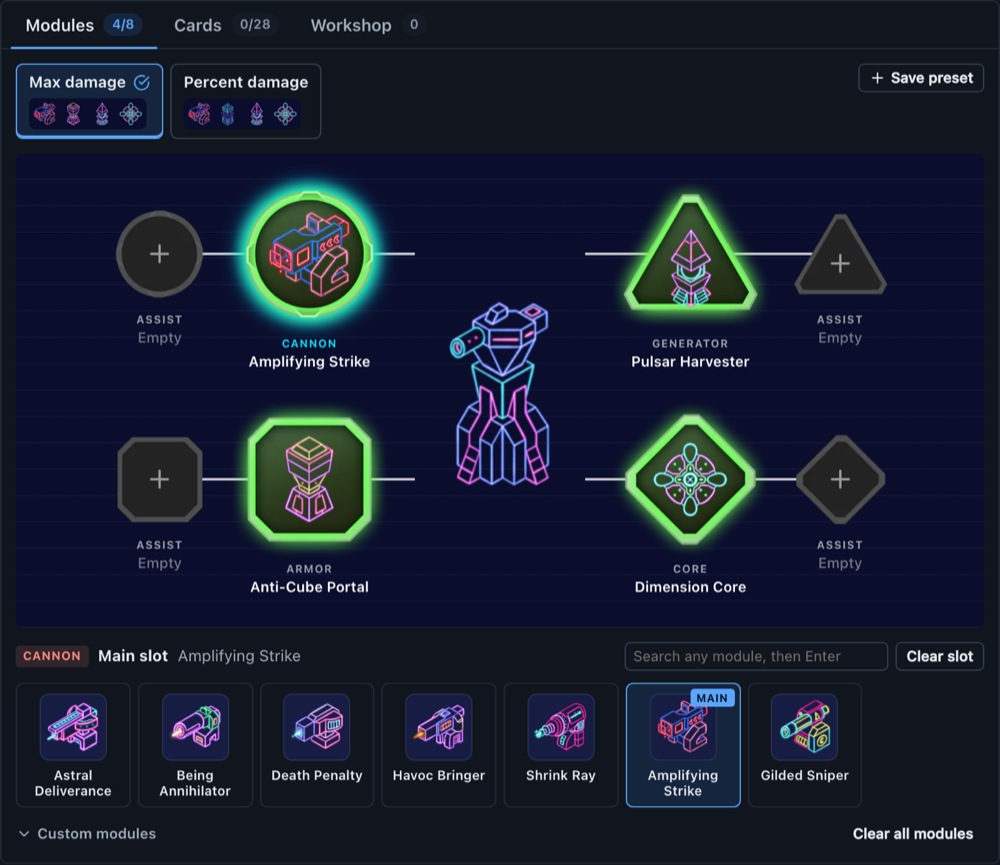
Open the notes on any report in the Battle Report Analyzer and you get the module screen from the game: the tower in the middle, the four main modules around it, and an assist slot next to each. The modules use the game art, big enough to tell apart at a glance.
Click a slot, then click a module. The board moves to the next empty slot by itself, so a full loadout is eight clicks.
Presets for each part of a setup
The game has preset tabs above the module screen. Battle Notes has them now too, and not only for modules. A setup has four parts, and each part keeps its own presets:
- Modules. Main and assist for cannon, armor, generator and core. My two setups above are saved as Max damage and Percent damage.
- Cards. All the cards with their art. Click the ones you run.
- Workshop. The workshop has dozens of upgrades and enhancements, far too many to record every time. So you pick only the key items for the build and mark each one as Max, Off, or a level.
- Range. The tower range in meters.
Save a part once, then it is one click on every later report. A preset only changes its own part, so a card preset never touches your modules.
When you want everything at once, Save setup stores several parts together as a full setup. Last report is also there, one click to copy what the previous report used.
Your old notes and presets still work. Nothing was lost in the move.
The Module Shard Calculator got the same board
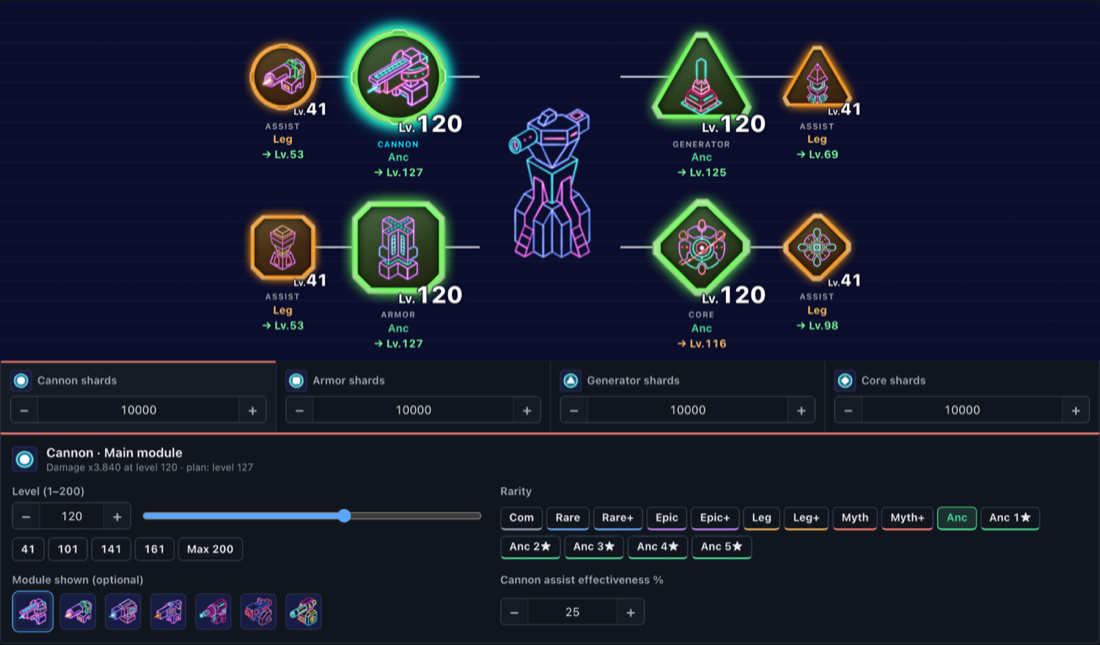
The Module Shard Calculator now uses the same layout. Each slot has a frame in its rarity color and its level written on it, like in the game. The arrow under a slot is the level the optimizer recommends.
Click a module to change it. Rarity is a row of buttons, and the level has a stepper, a slider, and shortcuts for the levels that unlock a substat slot.
A simpler Tournament Tracker
The old Tournament Player Comparison page was a bad design. It was too complicated and not doable at all, so I threw it away.
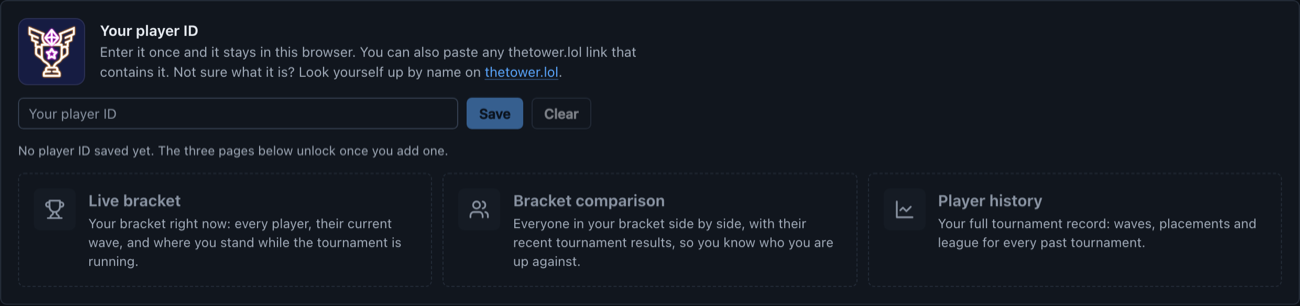
thetower.lol already handles the tournament data, and does it well. So the new Tournament Tracker is simple. Enter your player ID once and it is saved in your browser. After that, three pages are one click away:
- Live bracket, your bracket while the tournament is running.
- Bracket comparison, everyone in your bracket side by side.
- Player history, your record across past tournaments.
These are the pages I open the most during a tournament. The tracker also lists the top 250 players with the same three links, so you can look at how the best runs go.
All the data and the credit belong to thetower.lol. Towerstats only remembers your ID and sends you to the right page.
What I do now
After each tournament run I paste the report, open the notes, and click one preset. Then the next time I am deciding between Anti-Cube Portal and Orbital Augment, I can read the waves next to the setup that made them.
I am still stuck in Mythic. But now I can see what I tried.